Support - Multiplay Surround Decoder III
- Multiplay Surround Decoder III weiß (101215)
- Multiplay Surround Decoder III schwarz (101211)
- Multiplay Surround Decoder III +WiSA-HT schwarz (101221)
- Multiplay Surround Decoder III +WiSA-HT weiß (101225)
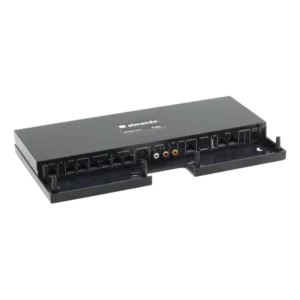
Installation instructions
Lorem ipsum dolor sit amet, consectetur adipisicing elit, sed doeiusmod tempor incididunt ut labore et dolore magna aliqua.
Quick Guide Network
Lorem ipsum dolor sit amet, consectetur adipisicing elit, sed doeiusmod tempor incididunt ut labore et dolore magna aliqua.
Quick Guide HDMI ARC
Lorem ipsum dolor sit amet, consectetur adipisicing elit, sed doeiusmod tempor incididunt ut labore et dolore magna aliqua.
Manual software update in case of network problem
Lorem ipsum dolor sit amet, consectetur adipisicing elit, sed doeiusmod tempor incididunt ut labore et dolore magna aliqua.
If the almando device is connected to the network via Wi-Fi, then you must of course enter the new WiFi access data into the device.
If you press and hold the reset button on the device, the LED on the front will blink in a specific color to indicate the network status:
- A flashing green light means the device is connected to the network via a LAN cable.
- A red flashing light means the device is wirelessly connected to the network via WiFi, but the reception is poor or the access data is incorrect.
- A flashing white light means the device is wirelessly connected to the network via WiFi and the access data is correct.
To enter the new Wi-Fi access data, briefly connect the Almando device to your router using an Ethernet cable. Apart from the power cable and the Ethernet cable, nothing else needs to be connected to the Almando device. You can then enter the data using the Almando PLAY app under Settings > Network.
 Liesl-Karlstadt-Str. 7